🐣 Sodavenger Hunt! Participate HERE
🌟 Beat the level HERE
💪 Spring Gif Battle!HERE
🎯 Spring Soda Games - Archery! HERE
👋 New in the Community? Say Hi HERE!
🌟 Beat the level HERE
💪 Spring Gif Battle!HERE
🎯 Spring Soda Games - Archery! HERE
👋 New in the Community? Say Hi HERE!
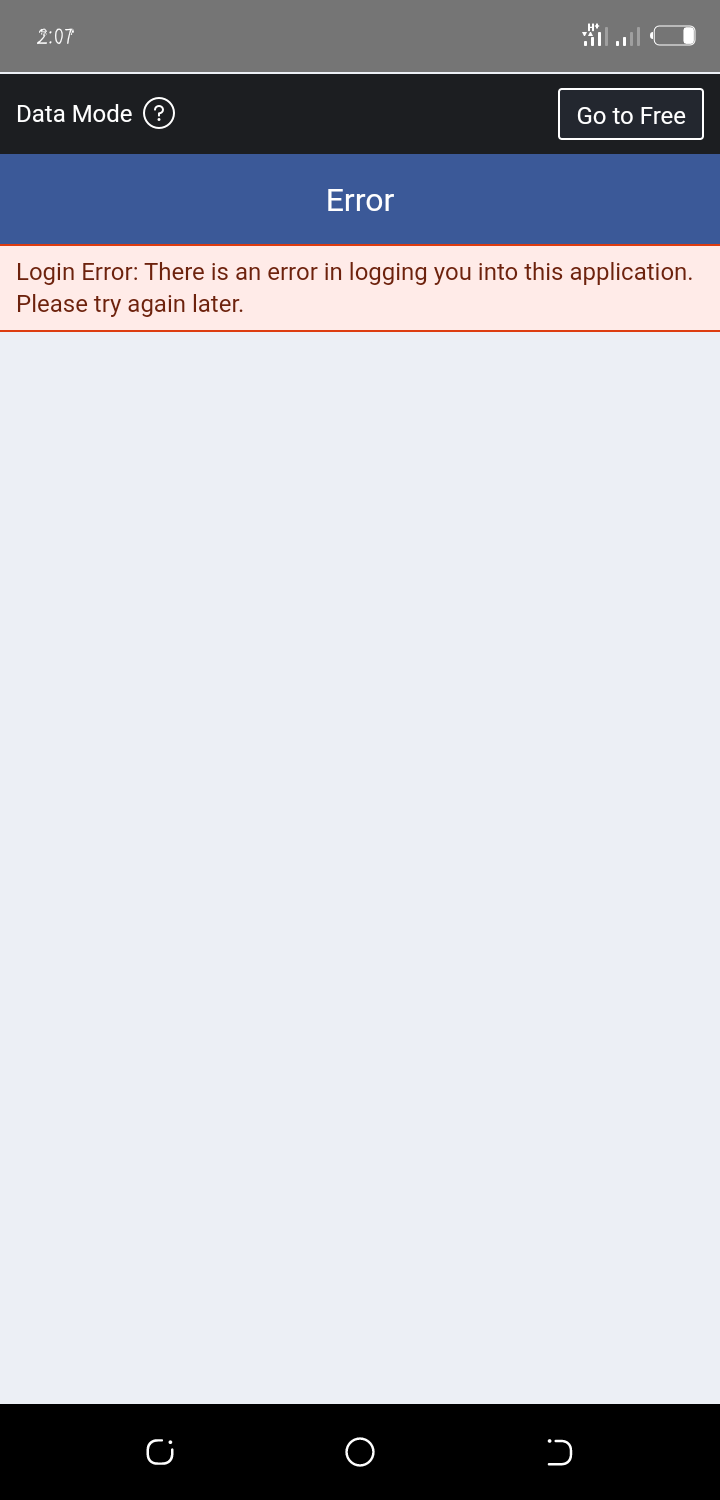
Facebook login error, I can't login my Facebook account, please why?
Best Answers
-
QueenB
Posts: 6,944 Community Manager
Nevermind @praise, I saw your other post with the screenshot, let's try to stick to one thread to avoid confusion 😉
So I see that you're playing on an Android device so can you try clearing the Google Play Store cache and see if that helps:
-Go to apps and find the app called 'Settings'
-Locate the menu called 'Apps' or 'Application Manager' depending on the device model
-Scroll down until you find the 'Google Play Store'
-From here click on 'Clear cache' then 'Uninstall updates’ and finally 'Clear data'. Please notice that you will get a warning when clicking the 'Clear data' button - don't worry as it's just a reset.
Restart the device and download the game again. Then open the game and reconnect it to your Facebook or King account to get back your played levels and Gold Bars.
If this doesn't help, you will have to reinstall the game app.It usually fixes most issues (please note that any progress on the mobile device that has not been synchronized with Facebook/King account at this stage will be lost.
However, all the progress that is currently saved on Facebook/King account can easily be retrieved, once you have reconnected the device successfully). Regrettably, you will lose any saved boosters and messages. I would recommend using these up before re-installing, if possible.
Hope this helps

🍬 Play Candy Crush Saga 🍭 Play Candy Crush Soda Saga 👫Play Candy Crush Friends Saga
🤼♀️ Play Candy Crush Jelly Saga 👩🌾 🍓Play Farm Heroes Saga

Answers
- Report
0 · Helpful Woah! Sweet Love HahaWe will need some more details to be able to help you... are you playing on a mobile device and having trouble connecting the game app to Facebook?
Or, are you having issues loading the game on your PC?
Thanks
👉 Refer a Friend to Farm Community and get Rewarded! 🎁
🍬 Play Candy Crush Saga 🍭 Play Candy Crush Soda Saga 👫Play Candy Crush Friends Saga
🤼♀️ Play Candy Crush Jelly Saga 👩🌾 🍓Play Farm Heroes Saga
- Report
0 · Helpful Woah! Sweet Love HahaSo I see that you're playing on an Android device so can you try clearing the Google Play Store cache and see if that helps:
-Go to apps and find the app called 'Settings'
-Locate the menu called 'Apps' or 'Application Manager' depending on the device model
-Scroll down until you find the 'Google Play Store'
-From here click on 'Clear cache' then 'Uninstall updates’ and finally 'Clear data'. Please notice that you will get a warning when clicking the 'Clear data' button - don't worry as it's just a reset.
Restart the device and download the game again. Then open the game and reconnect it to your Facebook or King account to get back your played levels and Gold Bars.
If this doesn't help, you will have to reinstall the game app.
It usually fixes most issues (please note that any progress on the mobile device that has not been synchronized with Facebook/King account at this stage will be lost.
However, all the progress that is currently saved on Facebook/King account can easily be retrieved, once you have reconnected the device successfully). Regrettably, you will lose any saved boosters and messages. I would recommend using these up before re-installing, if possible.

👉 Refer a Friend to Farm Community and get Rewarded! 🎁
🍬 Play Candy Crush Saga 🍭 Play Candy Crush Soda Saga 👫Play Candy Crush Friends Saga
🤼♀️ Play Candy Crush Jelly Saga 👩🌾 🍓Play Farm Heroes Saga
- Report
5 · Helpful Woah! Sweet Love Haha- Report
1 · Helpful Woah! 1Sweet Love Haha