Share news, updates, or anything Soda-related you'd love to chat about!
Get help for your Soda game here!
Join competitions for a chance to win Gold Bars and other Sodalicious prizes!
This is were you can talk about fun Soda and off-topic related things with other Soda Players!
Got a feature idea? Share your thoughts to help make Soda even better!
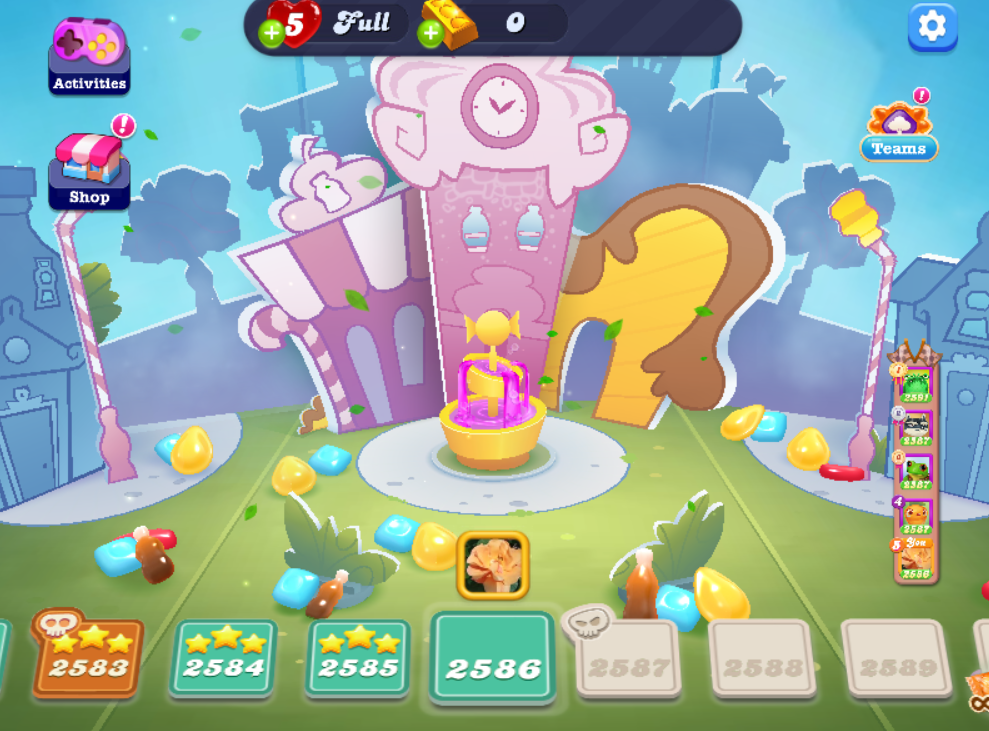
When I go onto Facebook gaming, there is an option to play CCS. But there is no profile to click once I start the game, no Social to add friends or any way of gaining boosters etc except buying them. Somehow this doesn't seem right - what can I do?
Sign in or register to leave a comment and join the conversation.
Hi again! 🤗
Thank you so much for providing these screenshots, I will be happy to explain what is happening.
Please note that special events like The Social Hub and other features are bonus features in the game and therefore not designed to be there permanently. To help keep things fresh and interesting, our studio tweaks and introduces new features every so often.
However, events and features in our games can temporarily disappear when there is a connection issue during login. Normally, it comes back after you do one of the following:
01- Play one level
02- Close the app and restart your device
03- Check that you have a stable connection
Please note that these steps do not guarantee that the feature will return, and we are sadly unable to add features back manually. 😕
Hope this helped! Have a Sodalicious day! 🍬
Hi
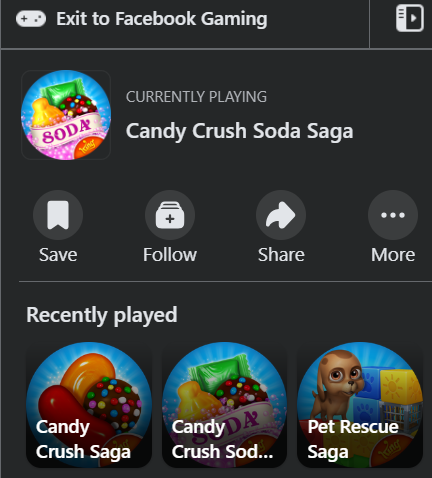
Thanks for coming back to me. It's Soda I'm struggling with. I attach a screen shot where I start to access the game.
Then there's the orange screen which goes to the game with no other options.
Many thanks!
Pam
Hi Pam16210 and welcome to the Community! 🤗
I understand something does not seem right about playing CCS on Facebook gaming.
Would you kindly first confirm if you are referring to Candy Crush Saga, or Candy Crush Soda Saga?
Also if you're able to share with me a screenshot showing how you see the game, I will be happy to investigate this further for you. If you need a guide on how to do so, please check this link:
https://support.microsoft.com/en-us/windows/use-snipping-tool-to-capture-screenshots-00246869-1843-655f-f220-97299b865f6b#:~:text=Press%20Windows%20logo%20key%20%2B%20Shift%20%2B%20S.,Press%20Print%20Screen%20(PrtSc).
You can also take a picture using your phone, you can attach it to your reply by clicking the image icon.
Will be waiting for your reply! Have a sweet day!