🍭 Want to participate? Register here in just 2 seconds! 🌟
Hello Friends Community 🤗
We have some exciting news!
You were many to share your experience with the game and some of its features here and our sweet CCFS Studio has listened! From today, you'll be able to set accessibility features up to your liking to make sure you get the best game experience possible. Friends-Tastic 🙌
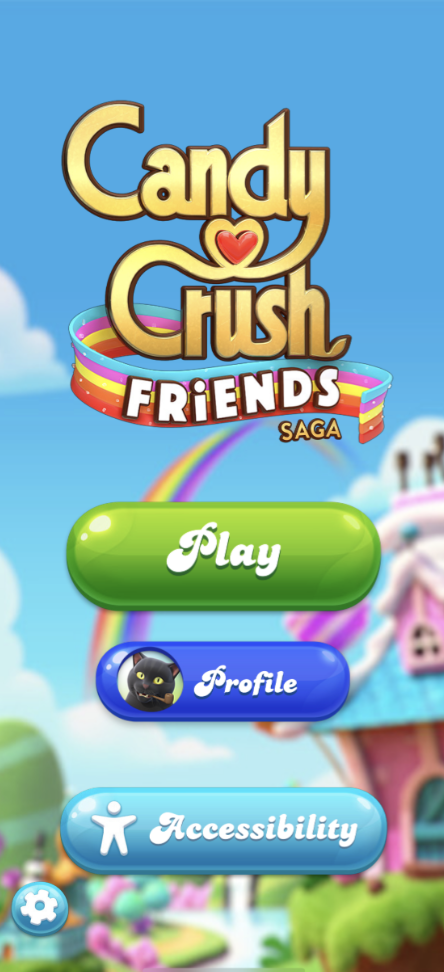
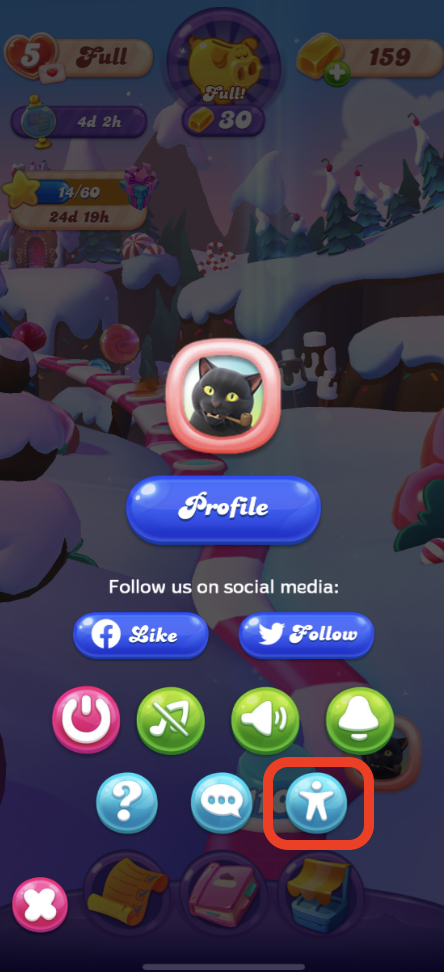
🌟 Where to find those settings?
On the home page
In the Menu
🌟 What can you change?
You can decide whether or not you want to keep animations throughout the game. Turn them on and off, depending on your preferences. Sweet!
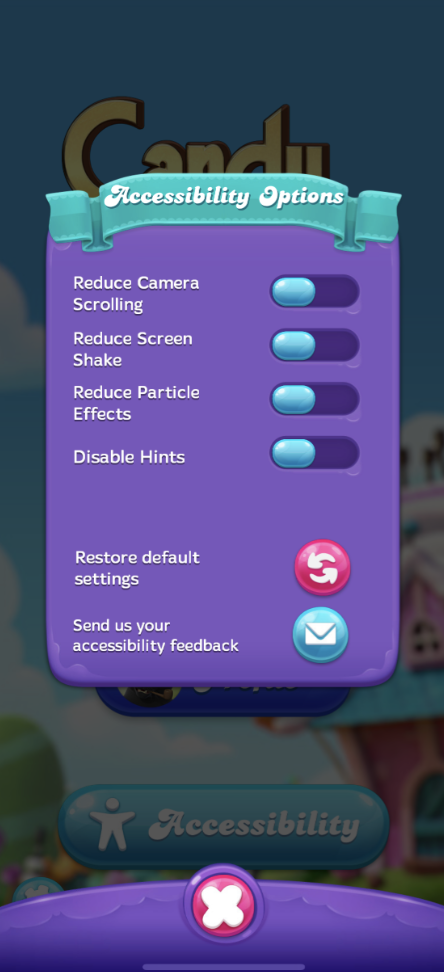
Here's a look at what each of those different options can do in a little more detail:
Reduce camera scrolling
This option disables the end of episode animation where you go into the portal and fade to white.
Reduce screen shake
This option disables screen shake when big cascades happen or when Boosters are used.
Reduce particle effects
This option disables particles in the game, such as line blasts.
Disable hints
This option disables hint animations in the game.
NOTE! You cannot disable the tutorials!
👉 We hope that this gives you an even sweeter game experience! Please let us know what you think by commenting below and help us improve it for you 🤗
A big thank you to the Candy Crush Friends Team for this!
Happy playing everyone, don't forget to have fun 🍒









![Photo of [Deleted User]](https://us.v-cdn.net/6030983/uploads/defaultavatar/nV0OJG1B2U0C4.jpg)