Have you ever contacted us about a game issue and been asked for your Game User ID, or player ID?
It’s not your email or your nickname, just a unique ID that helps us find your account and assist you better.

This is how you find your ID in the game
1.- Open your game and follow these steps:
2.- Tap on the pink gearwheel at the bottom left corner of the screen or any other place in the app.
3.- Tap on Account & Help
5.- You'll see your player ID right away, and can copy it to share it in an email or in the Community.
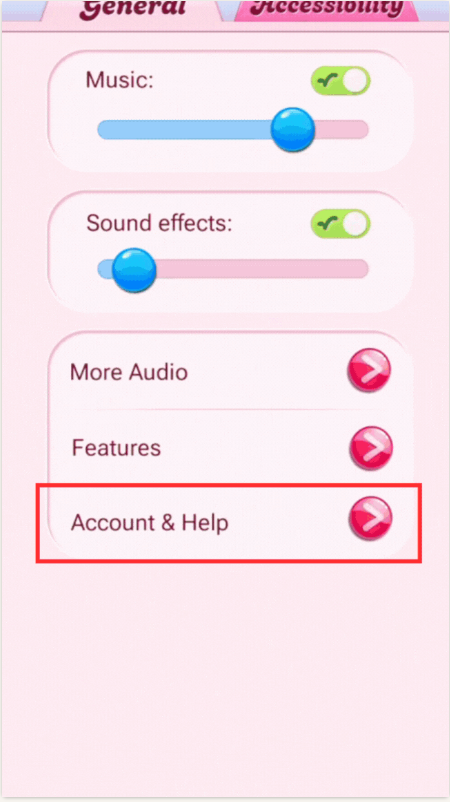
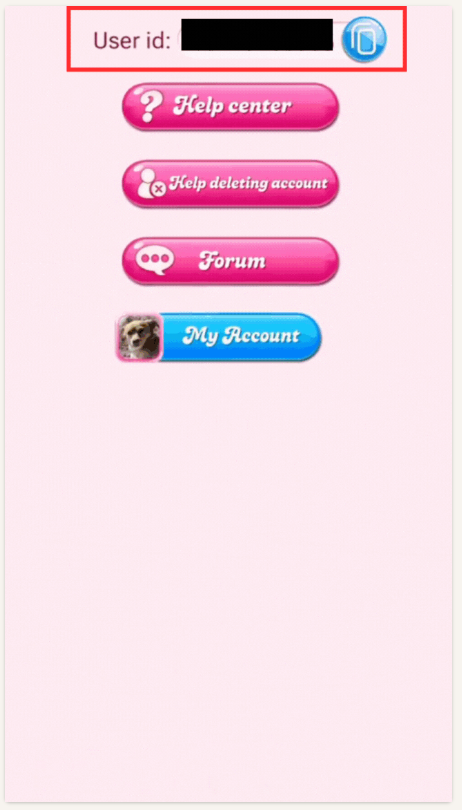
Here's a gif that shows these steps:
Click here to see all the steps!