Chat about Candy Crush Saga, share thoughts, news, or anything sweet!
Support - Stuck or having an issue? Ask a question and get help from other players!
Enter for a chance to win Gold Bars and sweet in-game rewards in Candy Crush Saga!
This is your chill zone! Talk about anything that’s not Candy-related with other Candy players!.
Have a sweet suggestion? Share your ideas to help improve Candy Crush Saga.
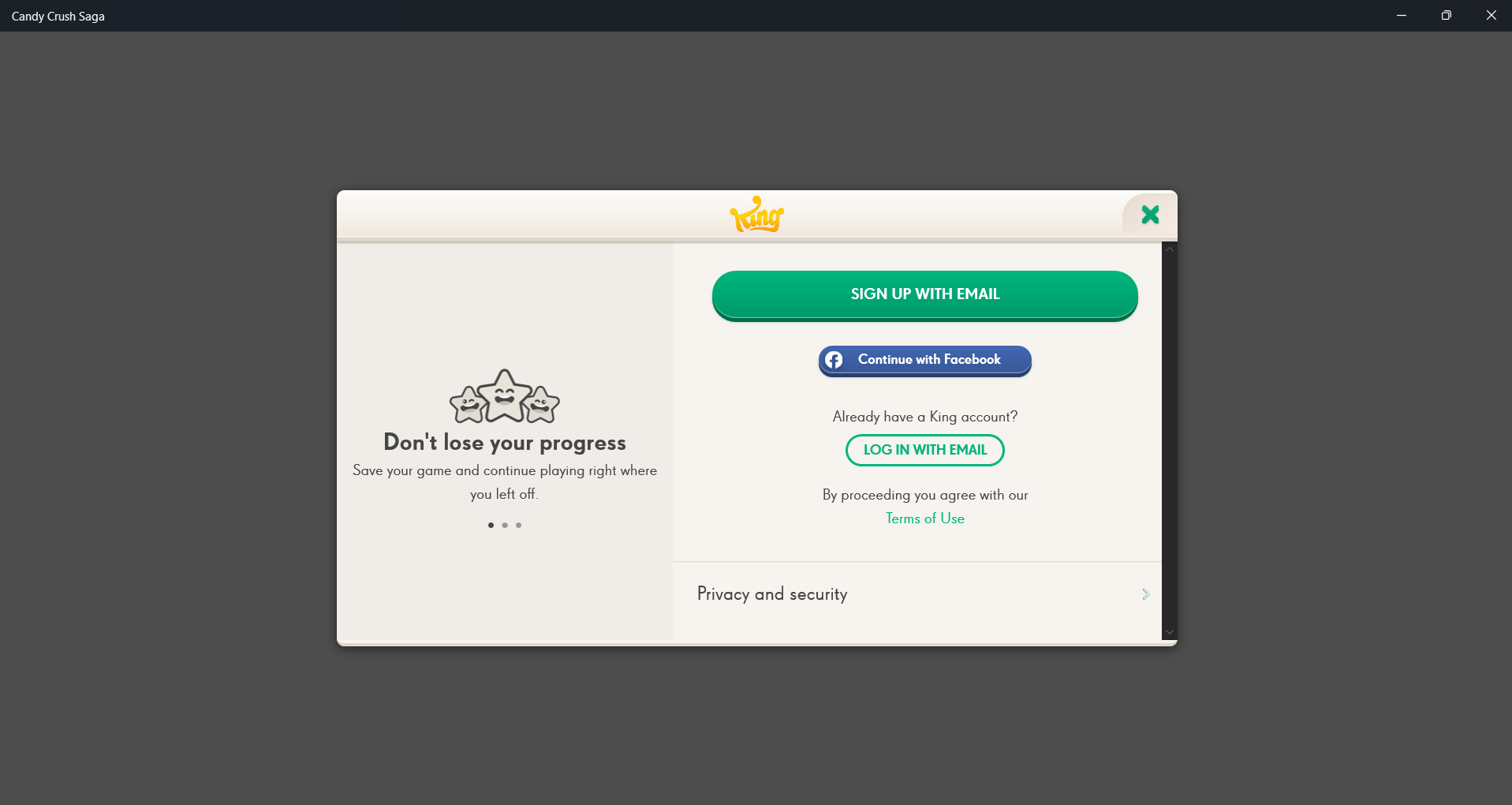
I want to transfer my game progress to a new computer using my old password and ID, but I can't find the login screen. Where do I log in?
Sign in or register to leave a comment and join the conversation.
Hello @yochimichi2235🤗 A Warm Welcome to the King Community!
Unfortunately, we cannot converse in Japanese, as the Community prefers English and few other languages (Spanish, Portuguese, French, German & Italian) where translator is available!
Can you please tell me something? On your new PC - are you trying to play the App version of the game or on Facebook - Browser version (Chrome, Edge, etc.,)?
Thank you for your reply. I haven't been able to bring up the screen you mentioned at all. Today, on my smartphone (Android), I was able to start from the same place as before. What I can't do right now is log in on my new PC, and the login screen itself isn't appearing. Also, since I'm not seeing any illustrations or anything like that, I wonder if it hasn't been installed yet (Windows 11).
I want to ask in Japanese, but I'm worried that what I want to say isn't coming across because I'm writing in English."
Hey there! I hope you're doing well!
I understand you're having some trouble logging into your account on a new computer. Worry not, I can help with that.
To get back to the adventure please follow these steps:
1. Make sure that your King account is correctly disconnected from the game (if you are currently connected). To do this open the game and on the main screen tap on the blue "My Account" button and then select “Log Out”. 2. Force close all apps and turn off your device. Leave the device switched off for at least 10 seconds before restarting it. 3. Open the game and reconnect to your account by tapping the blue "Retrieve my progress" button found on the main screen and then choose the option to “Log in with email” as seen on the screenshots below:
4. After that's done, just click "Play" and you should be good to go! For future reference, make sure that if you are sharing a device with other people, each person logs out of their King/Facebook account on this device after the game, to avoid synchronizing your account with a different King/Facebook account.
I hope that this helps get you back on track but if you have any more questions just let me know, I'm always happy to help. Have a great day.