Chat about Candy Crush Saga, share thoughts, news, or anything sweet!
Support - Stuck or having an issue? Ask a question and get help from other players!
Enter for a chance to win Gold Bars and sweet in-game rewards in Candy Crush Saga!
This is your chill zone! Talk about anything that’s not Candy-related with other Candy players!.
Have a sweet suggestion? Share your ideas to help improve Candy Crush Saga.
@QueenB @LoFiGummy @Snow_Rider
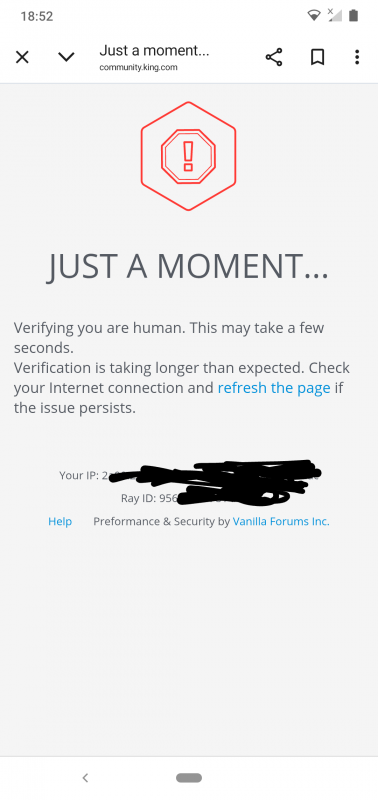
It took me ages to access the forum this evening due to the issue shown below.
Sign in or register to leave a comment and join the conversation.
Looks like this issue was quicker to solve than the others
Well @FluffyDinosaur as this issue seems to be a repeat of the issue I reported in November of last year I am not sure you can claim a quick fix. 😉
🤸🤸🤸🤸🤸🤸🤸🤸🤸🤸🤸 one dealt with, two to go 🤞
Looks like this issue was quicker to solve than the others, I think it should work now! Please take a look using any link 😁
Haha, thank you so much! Out of office does sound a little stale, summer vacation is better and more accurate - even we CM's need some time off to recharge 🌞. Sometimes I get a little stuck in the "office way of speaking" and as you probably have guessed English is not my native language.
Hi @QueenB I get the same result using your link.
I know you sent this to Alienscar to respond @QueenB but I just wanted to comment again. I don't often look at Ideas, but on the few occasions I have, for a long time I haven't see any added posts, just the original. And that is for all of them regardless of how many comments/posts have been added to it. So are you saying that on your device/system you can see all the additional posts 🤔
"Out of office" sounds great to me @FluffyDinosaur because it suggests to me that you are a real living and breathing person. That is very reassuring. Enjoy your time off, whatever you will be doing.
Thank you for sharing this, @Alienscar . We’re looking into this as well, although I haven’t been able to reproduce the issue from my side. I can see the latest comment made by Spinnifix.
Could you test something for me? Please open the discussion using this link and let me know whether the latest comments appear:
This version removes the #latest part from the end of the link, so I’d like to check whether that makes any difference for you.
Hi everyone, thanks for reporting this issue! I'm not really sure what could be causing this - but we will forward it and see what we can do. Thanks for being so specific with showing which discussions have the issue, that is really helpful. I also wanted to share that I will be out of office until the 11th of August, so answers here might be a little slower. Please keep the posts coming though, and also please rest assure that the work with fixing bugs does not stop just because I'm out 😁
Thank you @Alienscar I knew I couldn't be the only one. And every post under Ideas is the same for me. I open them and all any of them show is just the original post even when they show many have replied.
Sorry @FluffyDinosaur @QueenB but the majority of things in this forum are just SO complicated now 🥴🤕😳
And if you do manage to open Peaches12 post and I've posted the same reply over and over, please try and delete them, because I can't 👍
@QueenB @FluffyDinosaur I have the same problem as Carol.
The idea Add Chat Box In The Game has 77 comments with the latest one being posted at 10:13 today.
When I open the thread to read the comments none appear.
OK @FluffyDinosaur @QueenB wasn't sure where to post this, so decided to post it here. I received a notification this morning in my emails from a tag by Peaches12. I opened the post via that notification
I tried replying, tried a few times but I couldn't see anything showing. Came out of the Community and came back via the website. Couldn't find the post anywhere, went back to the CCS heading clicked on that, and before tapping Discussions, Support, Candy Corner saw it in the list of posts. Clicked on it and all I could see was the original post. It shows 6 or 8 posts but nothing actually shows except Peaches12 post, so they are probably all my replies. What is going on and how do we actually open this post to see everything on it. My head really 🤕's big time. Why is everything so damned complicated now.
Now if you say you can see everything on it, you must have super-duper systems where you work, because my mobile only shows @Peaches12 post, and nothing else.
It's a fantastic post and needs to be seen by all. Look forward to your speedy response 👍
Thanks @FluffyDinosaur do you think everything on the list will be put right this year 🙃. I opened the 'Wheel of Fortune (extra moves Spin wheel) is a bad idea' thread again this morning, and it's now opening on page 9, and still with a silly draft I keep deleting showing 🙄
Hi everyone, apologies for the lack of replies!
Thank you for sharing, we're aware of this one too and have it on the list!
For this issue, I wonder if there is a space or image inserted before the first letter in the message - that sometimes can give this error.
Just testing if this still works
What was that? One character short?
Something else @FluffyDinosaur that needs sorting, along with the threads opening on pages other than 1, and draft replies still showing up, even when they've been deleted.
The something else is, after replying to a post it doesn't show that I've replied unless I click on King again, then CCS, then where the post was (normally for me Discussions), so having to refresh it all click after click after click. Again I know this has been going on probably since the new site in October, and I know it has been reported more than once before. So can that also be put on the Urgency List with the thread page number and draft replies, please 👍
Edited to say it isn't happening on every reply now, so I'll keep a check on when/if it does happen.
I have two pictures. One might think that the community is going to be shut down.
Let's see! Believe me if I could solve this problem instantly I would 😁
No, Carol. That's far from enough. You'll find a few more mistakes. It's like Easter, instead of searching for eggs, we're searching for mistakes.🤣
Do you still need more @FluffyDinosaur or is what has been posted enough for you to find the fault ❓
Hi everyone, I wanted to thank you all for the very detailed troubleshooting information, this will be very helpful to us! ⭐️