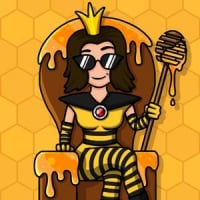
A new Candy Pins collection has started, and this season is called Blocker Bonanza.
This time, some players may also see a new Trades tab in the Pins feature, because we are testing a new way to trade Pins.
If you spot it in your game, keep reading below to see where to find it and how it works. Then vote in the poll and tell us what you think.

🔄 How does Pin Trading work?
If you have Pin Trading in your game, here's how to send your first trade request.
Step 1 – Open the Pins feature
Open the Pins feature from the bottom menu.

Step 2 – Find a Pin you can trade
Go to one of your Pin Collections and look for a missing Pin marked with the Trade icon. Tap that missing Pin to start a trade request.

Step 3 – Choose a trade partner
The game will show eligible players who have that Pin available.
Choose a player and tap Request.

Step 4 – Choose one of your duplicate Pins
Select one of your duplicate Pins to offer in return. You can only trade duplicate Pins you already own.

Step 5 – Review your trade
The game will show:
- You get: the missing Pin.
- They get: the duplicate Pin you selected.
If everything looks good, tap Send.

Step 6 – Track your trade
Once you've sent your request, open the Trades tab anytime to:
- Track the status of your trade requests.
- Accept incoming trade requests.

📌 Good to know
- You can only offer one of your duplicate Pins.
- The trade is completed only after the other player accepts your request.
- The Trades tab is where you can check incoming requests, outgoing requests, and active trade status.
- If you do not see the Trades tab yet, do not worry. The feature is still rolling out in stages.
- Some players may have Collection 8 without having Pin Trading yet.

💬 Tell us what you think below 😃
Have you tried it yet?
Was it easy to find?
Let us know what you think below.