Chat about Candy Crush Saga, share thoughts, news, or anything sweet!
Support - Stuck or having an issue? Ask a question and get help from other players!
Enter for a chance to win Gold Bars and sweet in-game rewards in Candy Crush Saga!
This is your chill zone! Talk about anything that’s not Candy-related with other Candy players!.
Have a sweet suggestion? Share your ideas to help improve Candy Crush Saga.
I don't like new confetti effect, flashing too much . Can it be turned off?
Sign in or register to leave a comment and join the conversation.
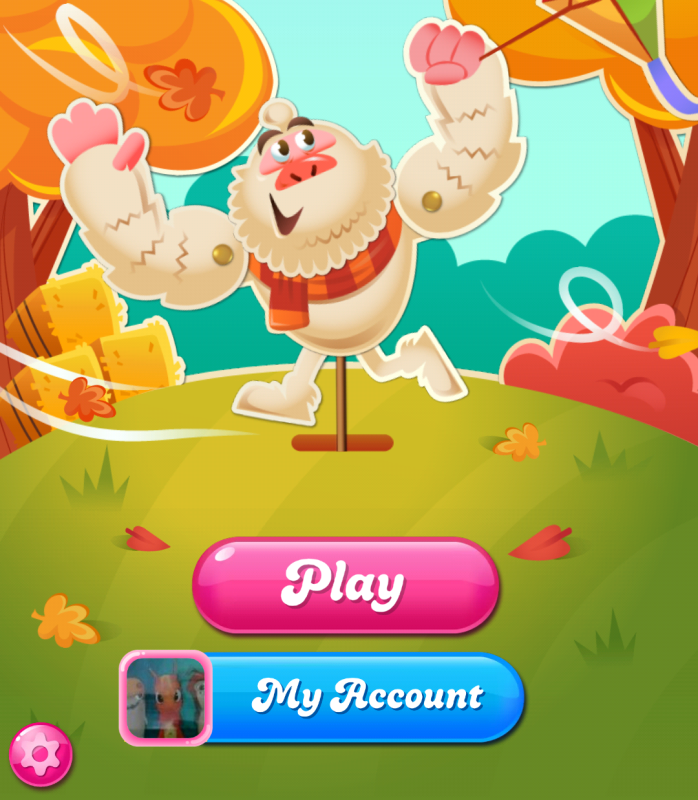
Hello @logro when you open your game select the cog icon that appears at the bottom left.
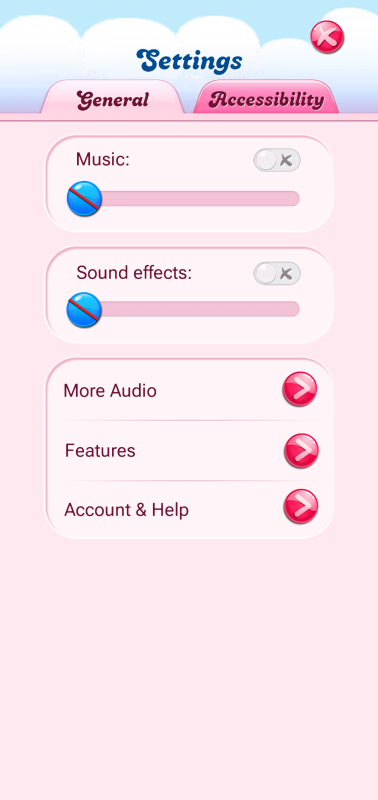
When you select the cog you will see the following
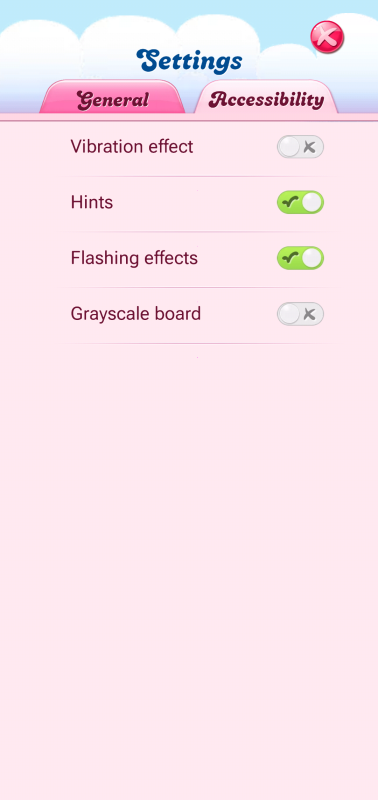
Click on the Accessibility tab and you will see what is shown below
Turn off the flashing effects to achieve what you asked.
Check out the options in Settings and Accessibility. You should be able to turn off "flashing effects" there.
There’s not much you can do about special effects like this… Try exploring the Settings option. The best thing I can think of is monochrome