Chat about Candy Crush Saga, share thoughts, news, or anything sweet!
Support - Stuck or having an issue? Ask a question and get help from other players!
Enter for a chance to win Gold Bars and sweet in-game rewards in Candy Crush Saga!
This is your chill zone! Talk about anything that’s not Candy-related with other Candy players!.
Have a sweet suggestion? Share your ideas to help improve Candy Crush Saga.
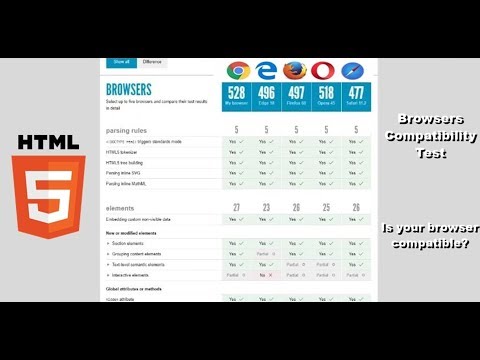
StewInArizona said: I disabled flash in chrome and firefox - when i go to king.com it says flash player is disabled - What now? StewInArizona said: I have the latest chrome and firefox - they both test good at html5test.com - but the words are still messed upHow do I use html5 on king.com games and get this working again?Worked fine until last week by the way - no problems since 2017 like you say above
StewInArizona said: I disabled flash in chrome and firefox - when i go to king.com it says flash player is disabled - What now?
StewInArizona said:
Sherlock said: I'm pretty tired of hearing the same old wrong answers to the issues users are having. I just started having this same problem with the wording today. Guess what? I'm using a brand new laptop with all the bells and whistles. I also can't send moves or receive lives. It makes no difference to upgrade, I'm as upgraded as it gets. So, it's quite condescending to imply it's the users fault for not being up to date when you have no idea if that's the case.
mercerik said: Sherlock said: I'm pretty tired of hearing the same old wrong answers to the issues users are having. I just started having this same problem with the wording today. Guess what? I'm using a brand new laptop with all the bells and whistles. I also can't send moves or receive lives. It makes no difference to upgrade, I'm as upgraded as it gets. So, it's quite condescending to imply it's the users fault for not being up to date when you have no idea if that's the case. @Sherlock Hi there! Welcome to the Community!I am quite surprised that you are having this problem with a brand new laptop with bells and whistles. If my laptop is brand new and I can't seem to fix a persistent problem, it is either I call the Manufacturer's Technical Support Line and let them remotely fix the problems for me or return the laptop for a replacement. I won't depend on a Game App Tech Support to fix this problem because they can't access my computer but the Manufacturer's Tech Support can by giving them permission. To be honest with you, technically, figuring out what the problem is with the Flash Player is not a part of the Game App Support Responsibilities. Their responsibility is to make sure that the game is up and running for everyone. If everybody globally is experiencing the same issue, then this is something they can be blamed for. I understand your frustrations but don't be hard on them because your issue might be caused by incompatibility with other applications in your computer, not necessarily with Candy Crush Saga.If I were you, since your laptop is new and still under warranty, I will call the Manufacturer's Technical Support for help.Hope this helps! Please let me know if you have questions or concerns!
Sherlock said: mercerik said: Sherlock said: I'm pretty tired of hearing the same old wrong answers to the issues users are having. I just started having this same problem with the wording today. Guess what? I'm using a brand new laptop with all the bells and whistles. I also can't send moves or receive lives. It makes no difference to upgrade, I'm as upgraded as it gets. So, it's quite condescending to imply it's the users fault for not being up to date when you have no idea if that's the case. @Sherlock Hi there! Welcome to the Community!I am quite surprised that you are having this problem with a brand new laptop with bells and whistles. If my laptop is brand new and I can't seem to fix a persistent problem, it is either I call the Manufacturer's Technical Support Line and let them remotely fix the problems for me or return the laptop for a replacement. I won't depend on a Game App Tech Support to fix this problem because they can't access my computer but the Manufacturer's Tech Support can by giving them permission. To be honest with you, technically, figuring out what the problem is with the Flash Player is not a part of the Game App Support Responsibilities. Their responsibility is to make sure that the game is up and running for everyone. If everybody globally is experiencing the same issue, then this is something they can be blamed for. I understand your frustrations but don't be hard on them because your issue might be caused by incompatibility with other applications in your computer, not necessarily with Candy Crush Saga.If I were you, since your laptop is new and still under warranty, I will call the Manufacturer's Technical Support for help.Hope this helps! Please let me know if you have questions or concerns! Oh give me a break. I have 3 laptops that I use for different purposes. I also have several browsers on said laptops. The same issues everyone else here is having are also a problem on all 3 of my laptops on all browsers. Again with the condescension. It's NOT my laptop(s). It's the game. Everyone knows that except those of you who post and try to tell others it's their computer. So, just stop. And, how dare you suggest that I contact the manufacturer's tech support! If you're not interested in just being able to be honest and let people know there's a problem with the game, don't make them jump through your imaginary hoops. BTW, this is a global issue. And it's not flash that's the problem. It works with anything else. So, maybe you should contact the game app support and let them know that the game isn't up and running for everyone!
Sherlock said: Oh give me a break. I have 3 laptops that I use for different purposes. I also have several browsers on said laptops. The same issues everyone else here is having are also a problem on all 3 of my laptops on all browsers. Again with the condescension. It's NOT my laptop(s). It's the game. Everyone knows that except those of you who post and try to tell others it's their computer. So, just stop. And, how dare you suggest that I contact the manufacturer's tech support! If you're not interested in just being able to be honest and let people know there's a problem with the game, don't make them jump through your imaginary hoops. BTW, this is a global issue. And it's not flash that's the problem. It works with anything else. So, maybe you should contact the game app support and let them know that the game isn't up and running for everyone!
Oh give me a break. I have 3 laptops that I use for different purposes. I also have several browsers on said laptops. The same issues everyone else here is having are also a problem on all 3 of my laptops on all browsers. Again with the condescension. It's NOT my laptop(s). It's the game. Everyone knows that except those of you who post and try to tell others it's their computer. So, just stop. And, how dare you suggest that I contact the manufacturer's tech support! If you're not interested in just being able to be honest and let people know there's a problem with the game, don't make them jump through your imaginary hoops. BTW, this is a global issue. And it's not flash that's the problem. It works with anything else. So, maybe you should contact the game app support and let them know that the game isn't up and running for everyone!
New here? Sign in or create an account to join the fun.
Hi everyone, We’ve seen several reports from players where the Win Streak reward screen freezes and players are unable to continue playing as expected. The good news is that this issue has already been flagged to the Studio, and the team is currently looking into it. We understand this is frustrating, especially when it…
Many of you have asked about the video ads feature in Candy Crush Saga. If you're wondering why the ads have disappeared from your game or why a friend has them but you don’t, here's a quick explanation: 🔄 Video ads are not a permanent feature in the game. Like other special features, they can come and go. They’re…
Welcome to the Community 👋 If you’re having trouble with your game, whether it’s missing progress, a purchase issue, or something not working, the fastest way to find answers is through our Help Center 🔍 Why the Help Center first? Always up to date Available in multiple languages Covers everything from game progress to…