Dear community,
Check out the information below and learn how you can customise the email notification you receive following these steps:
➡️ From a mobile device:
- Once you are log in, tap on "Notifications".
- Then, go to "Notification preferences".
- Customise your experience by ticking/unticking the boxes
- ❗❗Lastly, very important, don't forget to click/tap on "Save Preferences". Scroll down to the bottom and you will find the save option.


➡️ From a PC/Laptop:
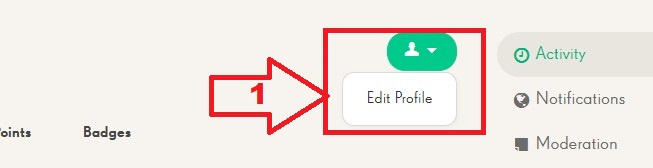
- First of all, go to your profile: click on the cogwheel. It's in the upper right corner on a PC.
- Then, go to "Edit Profile"
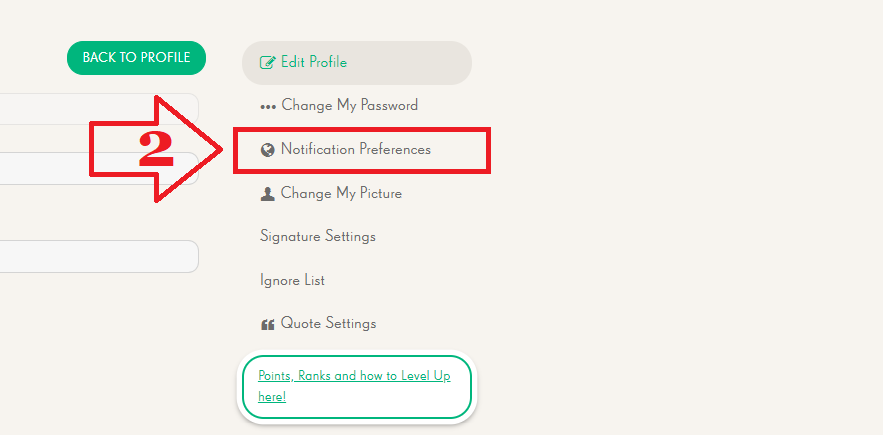
- Select "Notifications Preferences"
- Customise your experience by ticking/unticking the boxes
- ❗❗Lastly, very important, don't forget to click/tap on "Save Preferences"


Hope this information helps. 🙂
Have a delicious day and happy crushing! 🍬🍬