Best Of
Who else thinks Candy Crush is not enjoyable anymore?
Been playing Candy Crush Saga since day one, like many people on here started playing through Facebook on the laptop or PC.
Since changing the screen formatte and with no intentions of King changing it back new features that seem to be a pain rather than enjoyment, and levels that are so stupid you can see they are just levels to make you buy power ups to complete them is making this game more a frustrating pain rather than enjoyment.
Currently on level 10489 I have absolutely no control on this level, it just won't drop the candy I need to complete it, no matter what I do it just won't drop, like always I will just carry on until the computer decided I have spent enough time on this level and one day like magic I will pass it easy normally 7-10 days 🤣🤣🤣
King if you are reading this I think you have made enough millions to at least make the game what it used to be a bit of fun.
Disappearing Events -- Update
Hey everyone!
We know this issue has been going on for a while now, and we truly understand how frustrating that can be. While some events are working smoothly, others may still disappear unexpectedly.
Please know that this is on the Studio’s radar, and the team is continuing to investigate it.
If you experience an event disappearing, here’s how you can help us:
- Make sure your game is updated to the latest version
- If the issue still happens, please share:
- The platform you’re playing on (Windows, iOS, Android)
- Your Game ID. You can find it Here
This information really helps our developers reproduce the issue and work towards a fix.
Thank you so much for your patience and for continuing to report this!
Wheel of Fortune (xtra moves Spin wheel) is a bad idea - (Edited by CM: Collecting feedback)
📌 Updated: 7 July
Thank you to everyone who has shared feedback about the extra moves spin wheel.
This feature is currently being tested in the game. The Community team is following this thread, and the feedback shared here is also being passed on to the studio.
The latest update we have is that this test is expected to continue for at least another week. At the moment, we’re not able to stop the test or remove individual players.
Please keep sharing your feedback in this thread, especially examples from your own game. Helpful details include the level you were playing, how many moves were offered, how the spin wheel affected your level attempt, and whether it felt useful or not.
We’ll continue to follow the discussion and share updates here when there is more to say.
I reached level 20713 without ever spending any money, but I don't know how many ads I saw to help me get past the difficult levels (sometimes even the normal ones required boosters), so I've earned you quite a bit of money. I've been thinking about uninstalling the game for a while now, precisely because it took a few hundred tries to get past the legendary levels, but now this new feature on the wheel of fortune has convinced me to stop. Kudos to the creator of this nonsense.

(Closed) 🌟 The Golden Anniversary Quest! 🌟 - Farm Heroes Saga 12th Anniversary
This contest has now been concluded!
Hello Farmers! 🤗
We’re celebrating 12 years of Farm Heroes Saga 🌱🎉 And to make it extra fun, we’ve prepared a special month-long challenge with a chance to win Gold Bars!
👉 Here’s the idea:
Play a level with “12”, share your screenshot, and send some love to the team 💚
🚜 How to join
Join the Anniversary in 3 simple steps:
- ✅ Pass any level with the number 12 (like 312, 512, 1200)
- 📸 Post a screenshot showing the level you passed
- 🎂 Add a birthday wish or thank-you message to the Farm Heroes Saga team 💌
👉 Note: Only levels 312 and above count!
💎 Rewards
12 lucky winners will randomly be chosen, and each will receive:
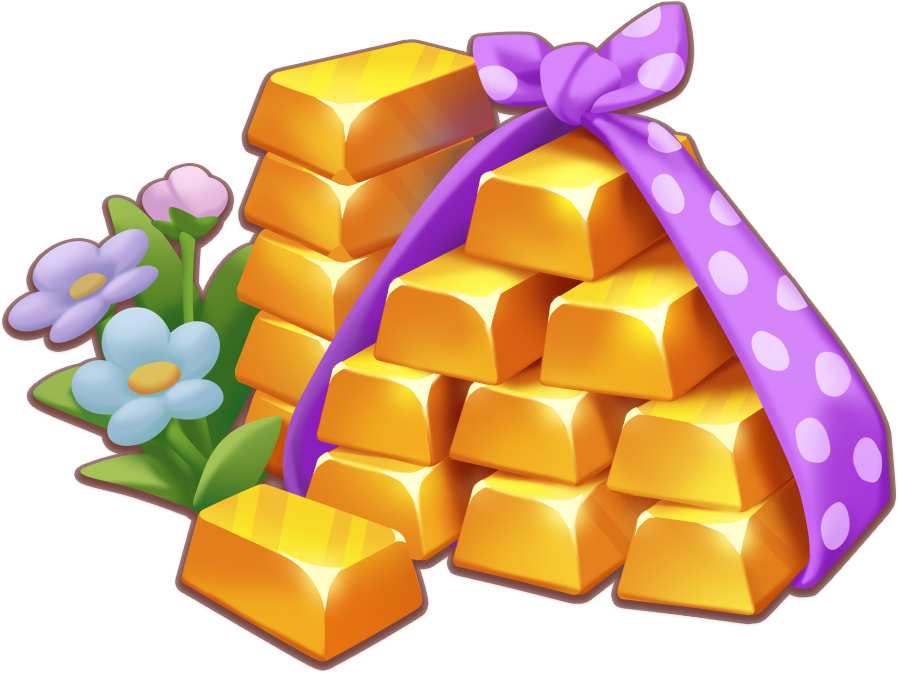
- 💰 75 Gold Bars!
📅 Important info
- One entry per player
- Your screenshot must clearly show the level number
- Event ends: May 1st – 17:00 UTC / 19:00 CET
Let’s celebrate together with fun levels, kind messages, and lots of Cropsies! 🌸 Good luck and happy farming! 🚜🍓
Booster wheel not working - Edited by CM: Under Investigation!
Anyone else have an issue with the booster wheel not letting you spin? Mine says come back in xxx hours for the next spin, but the next spin never comes. I am so stuck on level 7280 and I need some booster help!!
how to get gold bars for free?
how to get gold bars for free?
🌟 Candy Crush Saga All Stars 2026 – Official Tournament Overview 🌟
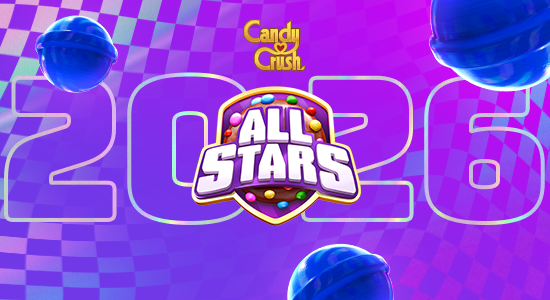
It’s happening.. Candy Crush Saga All Stars 2026 is officially here and you are part of it 🥳
This is the moment where everyday players step onto the biggest stage in Candy Crush Saga, collecting blue Candies, climbing leaderboards, and competing for a share of $1,000,000 USD.
If you’ve been waiting for your shot, this is it. And if you’re new here, welcome, you’ve just joined at the most exciting time of the year ⭐

Key Dates – All Stars 2026
All Stars 2026 runs from:
🗓 5 March 2026 – 8 April 2026
• Qualifiers begin: 5 March 2026 (09:00 AM EST)
• Final Knockouts Round 3 end: 8 April 2026 (09:00 AM EDT)
• Live Final: 3–6 June 2026 (London, UK)
(Always check the in-game countdown timer for your local time.)

How All Stars 2026 Works
During each active stage:
- Play eligible levels in Candy Crush Saga
- Collect blue Candies to earn points
- Compete on a leaderboard
- Finish in the required position to move forward
Important:
You must be Level 5 or higher to participate.
Only blue Candies count toward your All Stars score
Old levels do not count
Star Tournament levels count if you’re at the end of new content.
What’s New in All Stars 2026
• New visual identity and logo – All Stars 2026 comes with a refreshed look across the game.
• Two new participating countries – Taiwan and Singapore join the competition.
• New collectible – blue Candies replace the purple All Stars candy as the scoring candy.
• Old levels don’t award points – Only new levels and Star Tournament levels (for end-of-content players) count.
• Multiplier Tokens (New system)
– You receive up to 6 tokens for the whole tournament.
– Each token activates an x10 score boost for 30 minutes.
– Tokens must be activated manually and require an online connection. More info HERE
• New All Stars Info page – Accessible via the event widget in the Saga Map. It replaces the previous All Stars Hub and includes event details, calendar information, and how-to-play guidance. Check it out HERE
• New audio elements – Updated sound design to match the All Stars 2026 experience. 👉 Check it out HERE
🗓 All Stars 2026 – Tournament Stages & Dates
⭐ Stage 1 – Qualifiers
Qualifier 1
Start: 09:00 EST – 5 March 2026
End: 03:00 EDT – 9 March 2026
Qualifier 2
Start: 09:00 EDT – 9 March 2026
End: 03:00 EDT – 12 March 2026
Advance Rule:
- Finish Top 5 on your leaderboard
⭐ Stage 2 – First Knockouts
Start: 09:00 EDT – 12 March 2026
End: 03:00 EDT – 16 March 2026
Advance Rule: Finish Top 5 to move to Second Knockouts
⭐ Second Chance 1
Round 1
Start: 09:00 EDT – 16 March 2026
End: 09:00 EDT – 17 March 2026
Advance Rule: Finish Top 3 to move to Round 2
Round 2
Start: 03:00 EDT – 18 March 2026
End: 03:00 EDT – 19 March 2026
Advance Rule: Finish 1st place to move to Second Knockouts
⭐ Stage 3 – Second Knockouts
Start: 09:00 EDT – 19 March 2026
End: 03:00 EDT – 23 March 2026
Advance Rule: Finish Top 3 to move to Final Knockouts
⭐ Second Chance 2
Round 1
Start: 09:00 EDT – 23 March 2026
End: 09:00 EDT – 24 March 2026
Advance Rule: Finish 1st place to move to Round 2
Round 2
Start: 03:00 EDT – 25 March 2026
End: 03:00 EDT – 26 March 2026
Advance Rule: Finish 1st place to move to Final Knockouts
After this stage, eliminated players cannot re-enter the tournament.
(US daylight savings changes on 8 March. Times switch from EST to EDT during Qualifiers.) More Info can be found: Official Rules/Terms & Conditions
⭐ Final Knockouts
Round 1
Start: 09:00 EDT – 26 March 2026
End: 09:00 EDT – 30 March 2026
Round 2
Start: 09:00 EDT – 1 April 2026
End: 09:00 EDT – 4 April 2026
Round 3
Start: 09:00 EDT – 7 April 2026
End: 09:00 EDT – 8 April 2026
Final Rule:
- Finish 1st place in Round 3 to become an In-Game Winner
Top 10 In-Game Winners receive an invitation to compete in the Live Final in London, United Kingdom (3–6 June 2026), subject to eligibility and verification.
More Info can be found: Official Rules/Terms & Conditions
More Info can be found: Official Rules/Terms & Conditions

📜 Official Rules & Frequently Asked Questions
Before you play, please review:
👉 Official Rules & Terms and Conditions
👉 All Stars 2026 – FAQ
👉 Official All Stars Information page
These explain:
- Eligibility requirements
- Participating countries
- Tie-breaker rules
- Device limits
- Fair play rules
- Prize conditions

🏅 Earn Your All Stars 2026 Badge
Join the discussion in the community and share your journey.
Tell us:
- Which stage are you in?
- What strategy are you using?
- How close are you to the top of your leaderboard?
Request your All Stars 2026 badge 👉 HERE
💬 Share Your Feedback
We want to hear from you throughout the tournament.
- Is everything clear?
- Do you have questions about a specific stage?
- Do you understand the how the multiplier tokens work?
Drop your thoughts below and keep the conversation going.
Let the competition begin 😉

(On Pause! ⏸) 🎉 Soda Code Challenge - New Challenges Every Week! 🎉
The Weekly Soda Code challenge is currently on pause! We will update this thread once it returns again.
- 👉 Comment your answer below
- 🏆 Every week, 10 players win 10 Gold Bars in Soda
- 🆔 Your Player ID must be visible on your profile

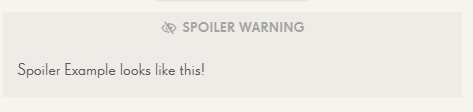
How to comment without showing your answer!
After writing your answer, select your text, and then press the tool icon left of the square.
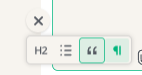
Press the quotes icon, and then press "Spoiler"
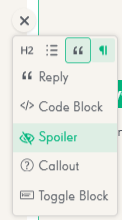
Then you're done, it should look like this!
Previous Codes
- 🎨 + 💣 = Color Bomb
- 🐟 + 🍬 = Fish Candy or Candy Fish
- 🟢 + 🥤 + 🧸 = Green Soda Bear
- 🥇 + 🧱 = Gold Bars
- ❤️ + ♾️ = Unlimited Lives
- 🧸 + 🍯 = Honey Bear
- 🚀 + 🏃♂️ + 🧸 = Rocket Rush
- 🥇 + 🐟 = Soda League
- 🦇 + 🎁 = Treasure Hunt
- 🍰 + 🎂 + 🎉 = Bake-A-Cake
- ✋ + ↔️ = Free Switch
- 🥤 + 🍰 = Cupcake
- 🍓 + 🍊 + 🍩 + 🍎 = SODA
- 🌈 + 🍬 = Coloring Candy
- 📅 + 🎁 = Daily Bonus
That’s it! Jump in and leave your guess 🍬✨
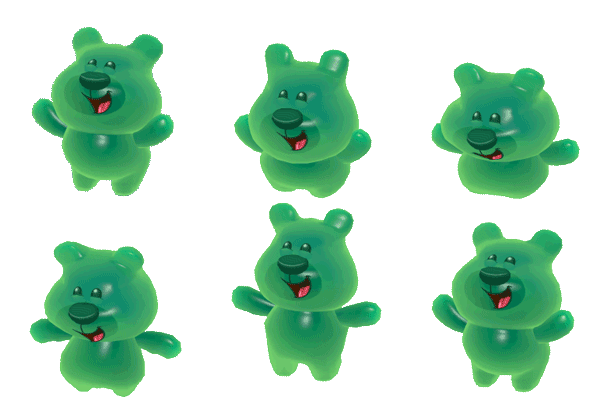
Hint: All codes will be something that you can find in the game!
✅ Claim the exclusive Level 14 000 badge here!
Hello, Candy Crush Lovers ❤️
It’s time for the next level Milestone Reward for Candy Crush Saga!

Have you passed level 14 000 yet?!? Simply post a screenshot of your map 👇 to show you’ve played level 14 000.
For instructions on how to take a screenshot, please visit here.


And You will earn this exclusive badge, By Our Game Mod @bearwithme

Notice! All players will receive the badge, but it will be removed from your profile if you don't qualify for it!

Good luck Everyone, and Happy Crushing! 🍬 🍬
❤️New to the Community? Register here in just 2 seconds.
❤️Download and Play Candy Crush Saga here now!
Terms and Conditions here.

Re: Your Guide to Adding Friends and Requesting Lives
KING ENTERTAMENT IS JUST REFUSING TO FIX THE ISSUE PERIOD, I HAVE NOT RECEIVED ANY LIVES FROM MY ALREADY KEY WORD HERE ALREADY FRIENDS THAT PLAY THE GAME WITH ME SINCE THEIR UPDATE. NO MATTER WHAT YOU SAY HOW YOU SAY IT OVER AND OVER THEY ARE GOING TO SAY THEY ARE NOT TO BLAME AND GIVE YOU SOME OFF THE WALL NONE ISSUE THAT IS NOT GOING TO RESOLVE THE TRUE ISSUE TECH ISSUE ON THEIR PART. I HAVE SENT OUT FRIENDS REQUEST FOR OVER 3 TO 4 WEEKS AND HAVE NOT RECIEVED ONE SINGLE LIFE FROM A FRIEND SINCE YOUR UPDATE, NOT A MATTER OF ADDING NEW FRIENDS ITS A MATTER OF RECIEVING THE LIFES FROM THE FRIENDS I ALREADY HAVE. HOW ARE YOU GOING TO FIX THAT ISSUE OR WHAT IS THE EXCUSE FOR THAT??? I LITTERALY QUIT PLAY CANDY CRUSH BECAUSE YOUR TECH ISSUE AND BLAME GAME!!!!